Tutorial-on-Tutorial: From VMware to Incus
For my first ToT. We'll be looking at Incus, which "is a next-generation system container, application container, and virtual machine manager".
TUTORIAL-ON-TUTORIAL
9/18/20255 min read


Insights, Knowledge and Training
TL;DR – After diving into a handful of Scotti-BYTE’s YouTube tutorials and the official docs, I replaced my VMware stack with Incus (the fork of LXD) and OpenStack. I set up two Incus servers, on one server I spun up 19 containers + 3 VMs, and on the second 4 lightweight containers. The highlight? A Flask AI micro-service that talks to an Ollama model on a remote GPU-powered machine. Below is a step-by-step walk-through of what I watched, what I learned, and what I built.
Overview
By running VMware ESXi 6.0 through 8.0 in my own lab, I gained hands-on expertise in deploying, configuring and managing VMware environments. While some may argue that a home lab isn’t equivalent to a production setting, the skills and knowledge I’ve acquired, have proved directly applicable to my professional work. I was able to stay in sync with engineering teams, troubleshoot issues—especially those involving our Cybersecurity technology stack—and design effective solutions based on that experience.
I’ll keep this knowledge and skill set in my toolkit, but it’s time to focus on new challenges as I upgrade my home lab infrastructure. After researching cloud technologies and developing a keen interest in them, I’ve decided to build a cloud platform that integrates both Linux Container Manager (Incus) and the OpenInfra Foundation’s Project OpenStack. I wanted a cleaner, open-source stack that scales from a home lab to a small data-center with minimal bloat.
What I Watched/Read
Per the documentation - Incus is a open-source manager for system containers, application containers, and virtual machines. It offers a cloud-like experience, letting you seamlessly mix containers and VMs that share the same underlying storage and network. Incus supplies ready-made images for a wide array of Linux distributions. Its design delivers both flexibility and scalability—supporting multiple storage backends, network configurations, and deployment targets from a single laptop or cloud instance up to a full server rack.
To build a solid foundation for my investigation into Linux container orchestration, I began by immersing myself in a curated set of YouTube tutorials and documentation. The Incus series—Incus: The New LXD, LXD vs. Incus Which Do I Use?, Incus Containers Step by Step, Windows 11 Incus Virtual Machine, and LXConsole Web Interface for Incus—offered a practical, hands-on walkthrough of installing, configuring, and managing containers with Incus.
Complementing these videos, I delved into the official OpenStack documentations and guides to understand how Incus can integrate with a larger cloud stack. Together, these resources provided both a conceptual overview and the technical steps needed to deploy container workloads in a modern, hybrid environment.
What I Learnt
After reviewing the tutorials and documentation, I gained a comprehensive understanding of:
The distinctions between system containers, application containers and virtual machines
Incus networking, including the use of Open vSwitch (OVS) and Open Virtual Network (OVN)
Configuring storage backends and deploying containers for micro-services
Running legacy applications on VMs
QEMU + KVM – what it is, how it works internally, setup/configuration/deployment/management
Additionally, I developed a solid grasp of the overall cloud infrastructure stack—compute, networking, and storage. The tutorials and documentation offer a step-by-step guide for setting up your own Incus server, enabling you to launch a home lab where you can hone any technical skills you wish to develop.
What I Built After
I built out two Incus server and one OpenStack server. I’ll be doing a separate blog on my OpenStack build out. The first Incus server lets call it node 1, has a total of 19 containers and 3 VMs. The second server has only 4 containers thus far.
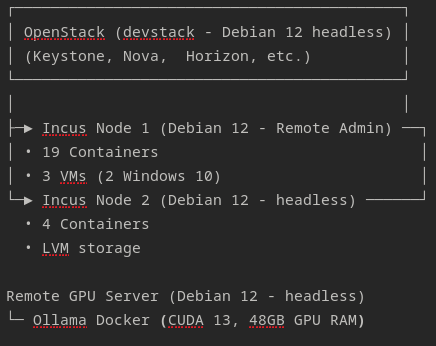


(ASCII diagram of Incus server and OpenStack deployment)
(Quick overview of server specs)
These servers will be used to help in my security training and testing, as well as technology development and deployment.
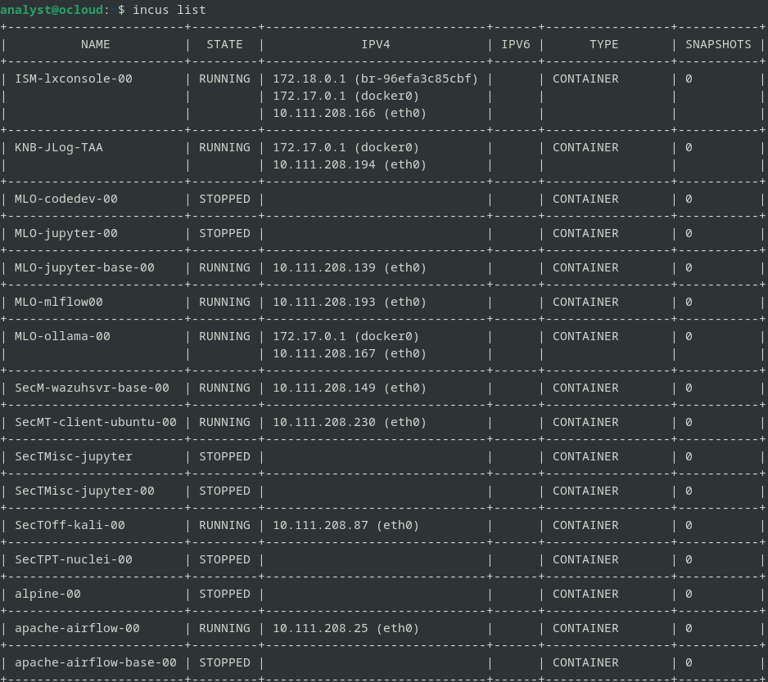
When launching my instances I usually prefer to use a naming convention that helps me to quickly identify what that instance tasks is/will be. Some examples of my naming scheme is:
MLO - Machine Learning Operations (e.g Jupyter, MLflow, Ollama, HF)
ISM - Incus Server Manager (e.g LXConsole)
SysD – System Device (e.g Firewall, Pi-hole, NAS)
SecM – Security Monitoring (e.g Wazuh, Security Onion HH, Prometheus/Grafana)
SecTOff - Security Testing-Offensive (e.g KaliDev, Caldera, AFL++, Frida)
SecTPT - Security Testing-Penetration Testing (e.g Nuclei, Burp Suite Pro)
(Some of the container instances created on Incus server node 1)
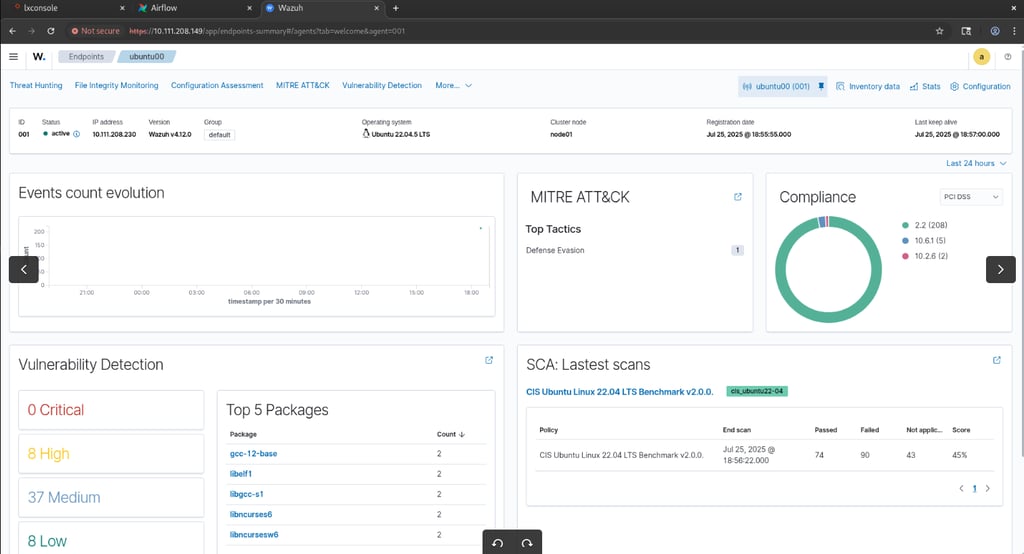
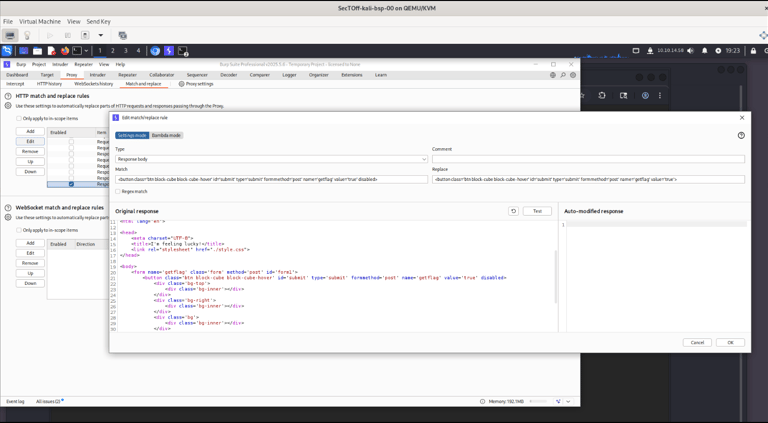
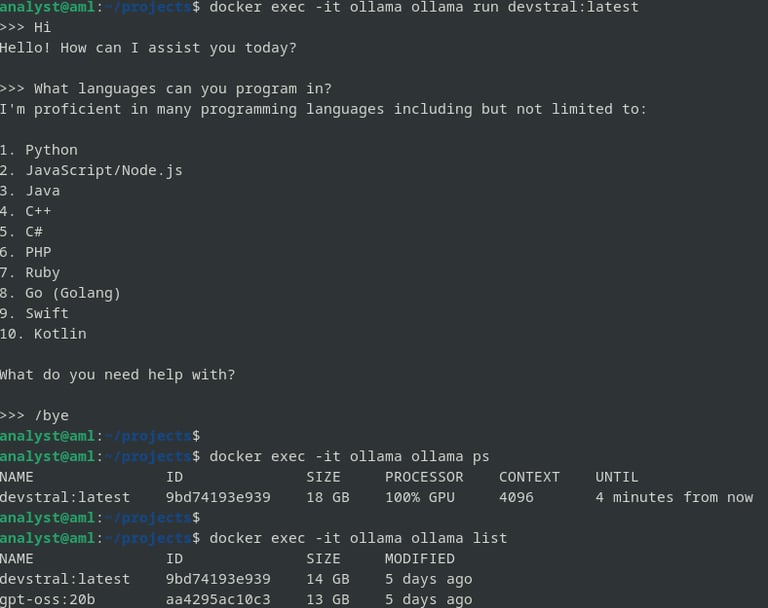
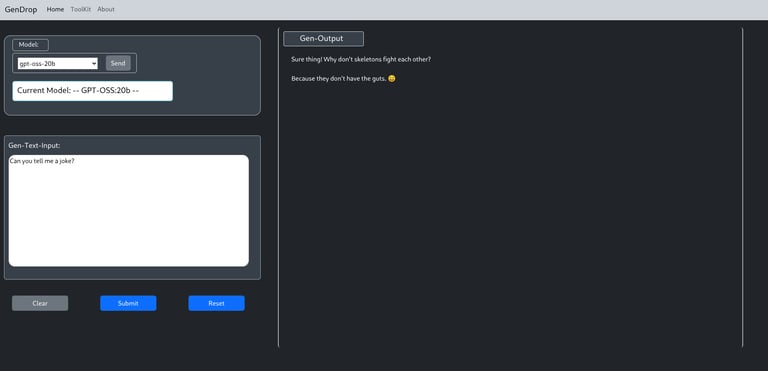
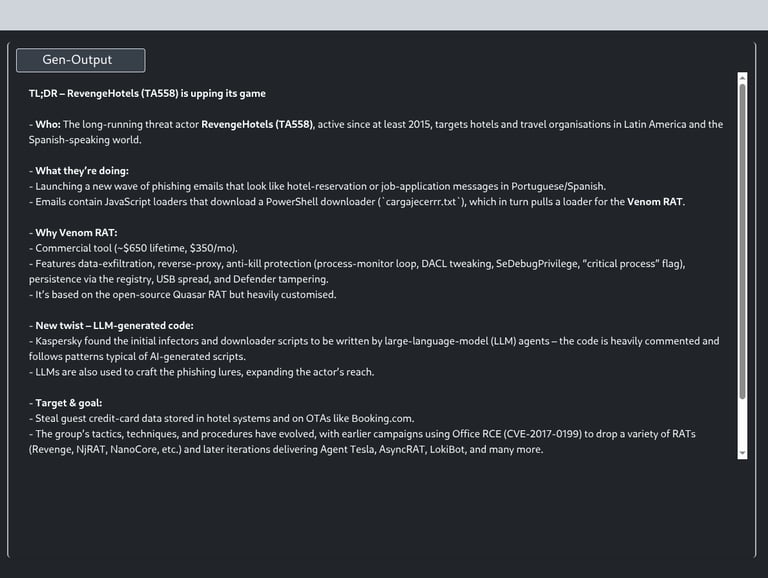
Below are screenshots illustrating several services currently running - Wazuh, Burp Suite Pro, Ollama, and a Flask-based Gen-AI chat application. They’re just a few examples of what I’m deploying on the Incus servers.
(Wazuh server instance running on Incus server node 1 – agent deployed to Ubuntu/22.04 container)
(Using Burp Suite Pro match/replace rule to intercept a response and auto modify a button element – running on Incus server node 1 (QEMU/KVM) – HTB Academy BBH module Assessment)
(Ollama docker instance deployed on GPU server that interfaces with the Incus server containers)
(Flask App running on Incus server node 2 instance that leverages Ollama docker deployment running on GPU server API)
(Useful in summarizing and translating information – helping to assist and augment my day-to-day tasks)
Conclusion
Some key takeaways-avoid getting lost in endless tutorials, start small. Spin up a single Incus node, experiment with a handful of containers, then add VMs when you’re ready. Use the Web UI or LXConsole to ease into the command line. The YouTube videos and official docs lay a solid foundation, but the real learning happens when you actually work with the system.
Happy containerizing! 🚀
References
Incus: The New LXD - https://www.youtube.com/watch?v=xCcrgUldEGo
LXD vs. Incus Which Do I Use? - https://www.youtube.com/watch?v=gLpqIZRkT7A
Incus Container Step by Step - https://www.youtube.com/watch?v=ULPuU9aKyoU
Windows 11 Incus Virtual Machine - https://www.youtube.com/watch?v=EVMKfGRx8eg
LXConsole Web Interface for Incus - https://www.youtube.com/watch?v=3b0GDMb-vKg
Incus Documentation: https://linuxcontainers.org/incus/